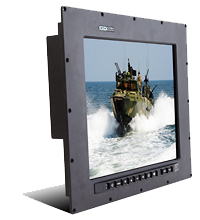
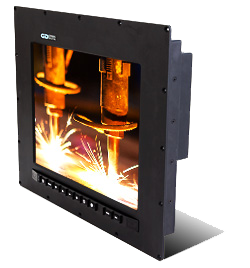
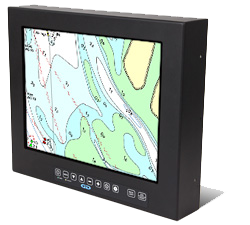
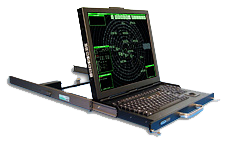
Many Display Sizes Available
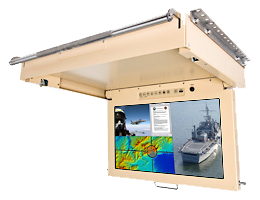
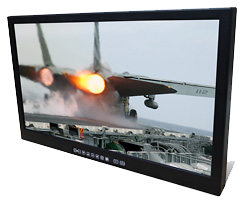
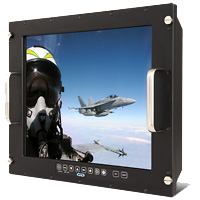
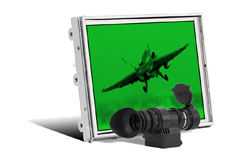
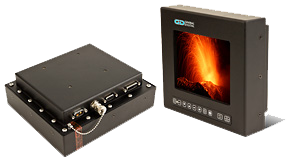
In response to customer demand, General Digital has engineered a multitude of NVIS-compatible LCD display solutions that feature OEM LCD displays and our custom-designed LED backlights (edge-lit and direct-lit), light optimization films and overlay enhancements. Our standard LCD display solutions range in size from 6.5 inch to 24.0 inch. New flat panel display sizes and resolutions, and subsequently, complete LCD monitor models, are being added regularly, or can be engineered upon customer request. Many of our NVIS-compatible solutions are also sunlight readable.
Component or Monitor
Our enhanced display solutions may be purchased “off the shelf” for integration into your own product designs, or you may opt to have General Digital technicians expertly integrate the display of your choice into almost any of our monitor and display kit products. In addition, we can design and integrate the NVIS-compatible displays into a custom solution to meet customer-supplied design and performance requirements.
LED Backlight Advantages
Increasingly, LCD manufacturers are producing their LCDs with LED backlights, rather than with the traditional/legacy cold cathode fluorescent lamps (CCFL). Their decision is motivated by the many advantages that LED backlights provide, such as:
- Greater efficiency (brightness vs. power)
- Lower cost
- More durable solid-state design
- Extended operating and storage temperatures
- No mercury content
- Faster startup times
Why are General Digital LED Backlights Necessary?
If LCD manufacturers are already manufacturing their LCD displays with LED backlights, you may wonder why General Digital produces its own value-add LED backlights. Most LCD manufacturers target large-volume markets for their LCD designs, where they can maximize their return on investment (ROI). Since competitive pressures from other suppliers exist in these markets, their products are designed to meet the bare essential requirements at a minimum cost in an attempt to achieve product acceptance and market competitiveness.
Traditionally, Original Equipment Manufacturers (OEMs) of liquid crystal displays have underserved niche markets (e.g., military, avionics, marine, outdoor usage) that require very specialized display performance, such as extended operating temperatures, sunlight readability, night vision capability and long product life cycle. General Digital prides itself on solving industry problems and providing product solutions to these underserved and specialty markets. Customers find our LED backlights to be necessary to meet one or more of the following application requirements:
- To provide superior brightness performance for use in high ambient lighting conditions or direct sunlight.
- To convert a legacy LCD design (that meets a specific need) from a CCFL backlight to a comparable design using less power, with increased durability and efficiency.
- To provide an LED backlight with greater reliability than the OEM design. Many OEM backlights have a mean time between failure (MTBF) between 30,000 and 70,000 hours. Typically, General Digital uses LEDs that have a brightness rating in excess of 110,000 hours.
- To provide a more efficient LED backlight design than the OEM LED backlight that provides customer-required performance at lower power consumption/heat dissipation. This requirement is especially important for display solutions that are housed in fanless or fully sealed enclosures.
- To provide night vision (NVIS) goggle compatibility.
- To provide, in combination with our LED controllers, a wider dimming range than the OEM LED backlight/controller, as well as additional programmable functionality.
How Night Vision Goggles (NVG) Work
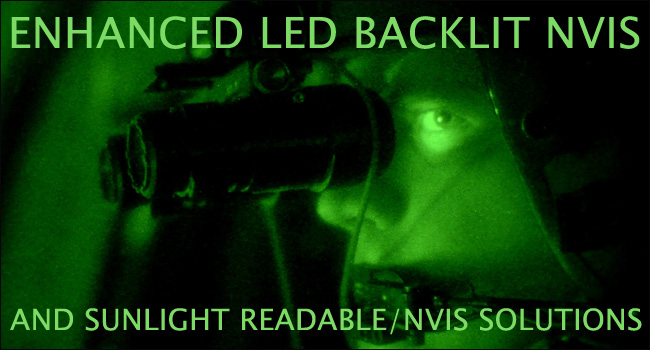
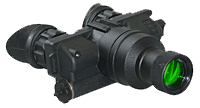
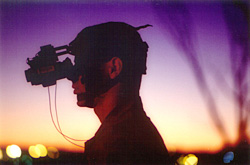
Night vision goggles (NVG) take low level (undetectable by the human eye) incoming light in the visible spectrum (photons) and amplify it to a human viewable level. They also take non-visible light in the infrared (IR) spectrum and convert it to the visible spectrum. These processes occur simultaneously and are converted into electrical energy called electrons. The electrons pass through a thin disk that’s about the size of a quarter and contains more than 10 million channels. As the electrons go through the channels, they strike the channel walls and thousands more electrons are released. These multiplied electrons then bounce off of a phosphor screen which converts the electrons back into photons and lets you see an impressive nighttime view, even in pitch black surroundings.
Why Standard Monitors Don’t Work with NVG
Standard monitors (CCFL-backlit LCDs and CRTs) emit high levels of IR radiation, specifically the kind that’s amplfied by night vision goggles. This interrupts the view of a person equipped with NVG by causing blooming (washed out view) and oversaturation, which renders the user effectively blind. This is true even if the monitor is in the proximity of the user but not in their direct field of view.
Making an LCD Monitor NVIS Compatible
To make a display NVIS (Night Vision Imaging System) compatible, General Digital expertly re-engineers the existing display hardware to virtually eliminate the emission of high levels of IR radiation. In some instances, we install entirely new backlighting systems, whether CCFL or LED. Both approaches are fully compliant with the military specification, MIL-STD-3009. By configuring an LCD monitor to be night vision compatible, an NVG user is easily able to view information on a display screen, as well as view their surroundings, while using night vision goggles.
Aspects of Night Vision Technology
Light-colored objects with a dull surface may appear darker through a night vision unit. Conversely, dark-colored objects with a highly reflective surface may appear lighter. For example, a shiny dark-colored jacket may appear brighter than a light-colored jacket with a dull surface.
Depth Perception
The monocle-type night vision goggles do not display normal (unaided eye) depth perception.
Fog and Rain
Night vision goggles are very sensitive to reflective ambient light; therefore, light reflecting off of fog or heavy rain amplifies the light in the night vision unit and may degrade its performance.
Honeycomb
This faint hexagonal pattern is the result of the manufacturing process.
Spots
A few black spots throughout the image area are inherent characteristics of night vision technology. These spots will remain constant and should not increase in size or quantity.
Sparkle or Snow
Some light shimmering spots can arise from high-energy solar particles striking the detector and being converted into visible light.
Ask Us About NVIS-Compatible LCD Monitors
General Digital’s Sales Engineers are quite knowledgeable at determining what will best suit your particular application. Contact us today and we will be happy to take the time to understand your needs and make our recommendations.
What Makes a Display Sunlight Readable?
There are many display performance attributes that must be considered when selecting a display to be used in high ambient lighting conditions or in direct sunlight, such as:
- Brightness
- Contrast
- Dimming range
- Viewing angle
- Operating life
- Power consumption
- Heat dissipation
- Reflectivity
- Response time
- Operating/storage temperature
Often, users prequalify panels by how bright they are, employing the “if it is brighter, it must be better” mentality. While brightness may indeed be an important performance consideration for many applications, General Digital holds that the display’s contrast is even more important (discussed in an upcoming white paper, Contrasting Opinion; Brighter Isn’t Always Better). Ultimately, it is the user’s ability to discern a difference between colors (contrast) that enables them to properly view information under varying lighting conditions—from total darkness to direct sunlight.
OEMs provide the contrast performance of their LCDs in dark room conditions within their display specifications. While this information is an important indicator for consideration if the LCD is to be used indoors, it provides an inconclusive indication of how well the LCD will perform when exposed to high ambient lighting conditions (read our white paper, Not All Brightness is Created Equal). For this reason, General Digital quantifies the performance of our LED enhanced LCDs in our Optics Laboratory following the guidelines of MIL-STD-3009 (formerly MIL-L-85762-A).
Following these guidelines, General Digital provides our customers with a host of performance metrics, most notably its Weber Contrast, its contrast under 10,000 foot candles of direct light and a Display Class. These metrics allow customers to compare our performance to the military’s standard of approval for display usefulness in direct sunlight, as well as the type of information that can be read under these conditions, ranging from numeric-only to live video. This data also will allow customers to compare our products to competitive alternatives on a level playing field.
General Digital’s Optical Laboratory
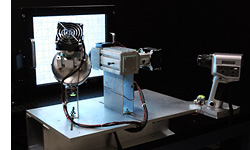
General Digital’s Optical Laboratory was created to provide quantification of the optical performance of an LCD under a variety of extreme ambient conditions along with raw intrinsic system characteristics. The data provided by the laboratory tests allows for numerical performance descriptions of each LCD display system. This enables the customer to compare displays across the entire General Digital display catalog and provides the ability to choose the correct product for the target environment while removing guesswork. To ensure accuracy and cross correlation, sunlight and NVIS measurements adhere to procedures and regulations outlined in MIL-L-85762A, and its successor, MIL-STD-3009. Other applicable measurements adhere to procedures and regulations outlined in “Video Electronics Standards Association Display Metrology Committee” (VESA) Flat Panel Display Measurement Standard Version 2.0 (June 1, 2001).
Enhanced LED Display Measurements
On the NVIS DISPLAYS: SPECIFICATIONS tab, we provide a table that summarizes our LED solutions (see sample below). Within the table, you will find a part number for each display configuration listed. As changes are made to a baseline configuration, General Digital will assign a new and unique part number to the resulting configuration. In addition to the part number, a variety of data is supplied for each display configuration.
Typically, General Digital attempts to standardize its measurements by applying an antireflective film to the surface of the LCD. However, it is not unusual for us to test the displays using a variety of other combinations of overlays (EMI filters, touch screens, vandal shields or films) that may be required to meet a specific application requirement.
Lastly, we maintain a record of the data that summarizes and compares the optical performance of the OEM LCD before our enhancements and improvements, as well as after modification. Much of this data has been acquired under the guidelines of MIL-STD-3009 (formerly MIL-L-85762-A).
The following is a standard list of carefully chosen measurements performed by General Digital’s Optical laboratory that provide all relevant information on dark/night, direct sunlight, ambient sunlight and night vision conditions. These measurements are found on all display and monitor photometric data sheets.
Sunlight Readings
- Dark Room Data
- Luminance A (Nits)[1]
- Measured in a dark room at optimal display brightness and contrast providing real world data. This data is provided for real world performance information.
- Luminance B (Nits)[1]
- Measured in a dark room at maximum display brightness and contrast, providing maximum brightness; however, display readability is reduced through loss of contrast. This metric is provided for inter-vendor comparisons.
- Contrast Ratio
- Contrast ratio of the display in a dark environment.
- Sunlight Condition MIL-STD-3009[2]
- Weber Contrast
- Weber contrast (as defined by MIL-L-85762A) of the display under full diffuser and specular simulation. This simulates an outdoor bright sun condition (10,000 fc) with a secondary reflection of the sun (2,000 fL) off the monitor system.
- Contrast Ratio
- Contrast ratio of the display under full diffuse and specular simulation sources. This simulates an outdoor bright sun condition (10,000 fc) with a secondary reflection of the sun (2,000 fL) off the monitor system.
- Direct Sunlight Only Contrast
- Contrast ratio of the display under diffuse simulation source ONLY. This simulates an outdoor bright sun condition (10,000 fc).
- Display Class (0-6)[2]
- Classification of the display usability, 0 being not sunlight readable with text, image or video, black and white or otherwise, and 6 being readable given full color motion video.
- LED Backlight Data
- Rail Temperature °C
- Temperature of the backlight illumination source in each drive condition.
- Watts
- Power being consumed by the backlighting system in each drive condition.
- LED MTBF (Hours)
- Mean time before failure of the backlight system, this will change depending on type, vendor and model of illumination source.
- NVIS (MIL-STD-3009)
- U’V’
- Color coordinates in the CIE 1976 (L’,u’,v’) color space of the display in NVIS mode (if equipped).
- Error Radius
- The radial deviation distance from the MIL-STD-3009 defined NVIS B CIE 1976 NVIS B white point.
- NVIS Radiance B
- The NVIS B radiance in nw/cm2/sr.
[1] Reference white paper “Not All Brightness is Created Equal”.
[2] Reference white paper “MIL-STD-3009 Sunlight Simulation and Measurement Test Setup”.
Each measurement is performed under a variety of LCD and backlighting drive schemes to provide a diverse and rich data set, allowing the customer the ability to choose the correct product for the target driving scheme, while removing guesswork. These drive conditions are found on all display and monitor photometric data sheets, as outlined below.
Drive Options
- OEM Performance
- Driven with the OEM or General Digital LED backlights at a power equal to the OEM backlights. This provides data on luminance improvements over OEM if equipped with our backlights.
- OEM Brightness
- Driven with the OEM or General Digital LED backlights to produce brightness equal to the OEM display brightness. This provides data on power consumption improvements over OEM if equipped with our backlights.
- 1000 Nits
- Driven with the OEM (if possible) or General Digital LED backlights to produce 1000 nits. This luminance is chosen as it is an industry recognized number for sunlight readability; however, the importance of contrast over brightness for sunlight readability must be emphasized. Please see the presentation “MIL-STD-3009 Sunlight Simulation and Measurement Test Setup”.
- 50° C Rail Temperature
- Driven with General Digital LED backlights to determine the maximum output of the display with no active cooling. Many displays can be pushed beyond this threshold; however, active cooling or heat sinks may be required.
The metrics outlined above represent most common conditions; however, due to General Digital’s vast array of capabilities, experience and equipment, many more display measurements can be performed. Should further assistance be necessary, a Sales Engineer can be consulted for additional clarification.
LED Backlight Controllers
General Digital also designs and integrates our own line of intelligent LED backlight controllers to provide command, control and status of our LED-equipped, NVIS-enhanced and NVIS/Sunlight Readable-enhanced displays and backlights. Again, these ruggedized products can be purchased from our stock or integrated by General Digital. Additionally, our software engineering staff can tailor our controller firmware to provide the precise performance necessary to meet a customer’s operational requirements. Typical requests include, but are not limited to, the following:
- Minimum and maximum brightness levels for NVIS luminance.
- Minimum and maximum brightness levels for standard/sunlight readable luminance.
- Brightness resolution (number of brightness steps between minimum and maximum set points).
- Automatic brightness control algorithm adjustment based on ambient lighting conditions.
Other Controllers
General Digital also designs and assembles standard and custom microelectronic assemblies in house (e.g., embedded display heaters, cooling fans, touch screens, bezel buttons and potentiometers, OSD controls) that may be included in the final configuration. Since these designs are under our control, it is a simple task for us to program or tailor their performance to meet a variety of needs. More information is available on our controller products page or by speaking with a Sales Engineer.